
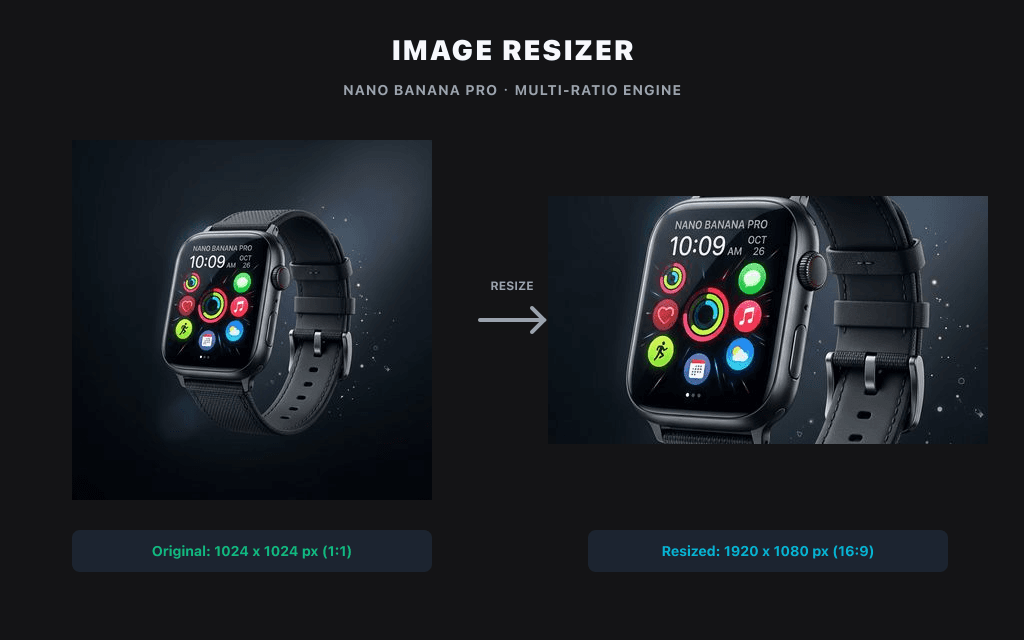
在本地快速调整图片的分辨率与像素尺寸,无需上传。
本地图片工具
图片只在此浏览器中通过 Canvas 处理,默认不会上传到 Product API。
无需上传不消耗积分仅浏览器
预设尺寸
输出格式
社媒帖子尺寸调整
选择或拖入图片,在此浏览器中进行本地处理与预览。
使用示例

常见问题
How do I resize a PNG without losing quality?
Keep the aspect ratio locked and resize by pixels rather than upscaling. Because the tool processes your PNG locally in the browser, there's no re-compression from an upload — the main cause of quality loss.
Is this image resizer free?
Yes, completely free. No signup, no watermark, no usage limits.
Can I resize images without uploading them?
Yes. Files are processed entirely in your browser and never leave your device.
What size should I resize images to for Instagram?
竖版为 1080 × 1350,方形为 1080 × 1080,横版为 1080 × 566。
How do I resize an image to 1 MB?
Enter your target pixel dimensions, then choose the JPG or WebP quality level that brings the file under 1 MB. Lower quality = smaller file; the preview lets you check sharpness before downloading.
What file formats are supported?
PNG, JPG/JPEG and WebP. You can convert between them while resizing.