
Free AI Face Swap — Swap Faces in Photos Online
Upload a base photo and a face reference, then describe the swap you want. Create natural photo face swaps online with no sign-up or software download.
Popular face swap ideas
Create Natural or Playful Photo Face Swaps
Keep the original composition while changing identity for portraits, social posts, group photos, and fictional character concepts.
Swap Faces NowAI photo face swap
Realistic Portrait Swap
Preserve the original head angle, expression, hairstyle, and studio lighting while replacing the face identity.
Try this face swap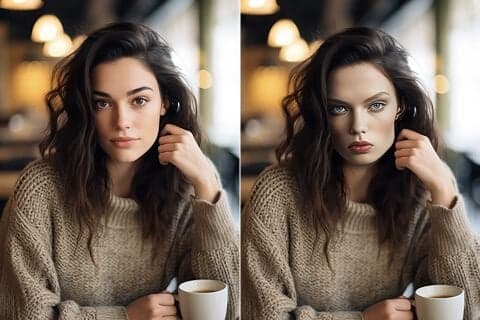 Portrait
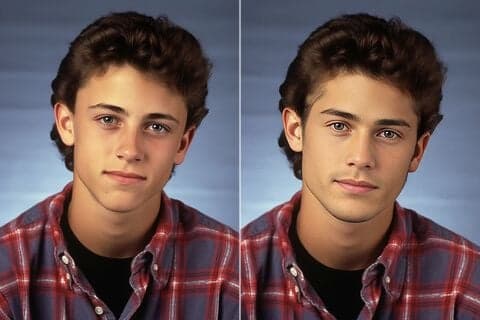 Couple
AI photo face swap
Couple Photo Face Swap
Swap two clearly identified adult faces while leaving the location, outfits, body position, and other details untouched.
Try this face swapAI photo face swap
Group Photo Edit
Name or position the people you want to change so unselected faces and the wider scene remain stable.
Try this face swap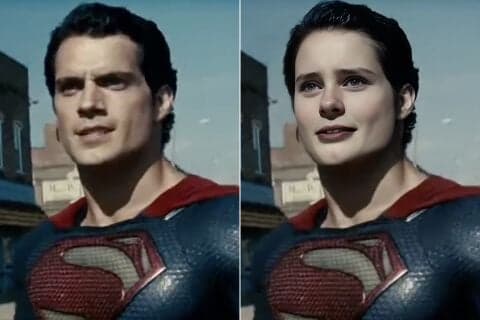 Multiple Faces
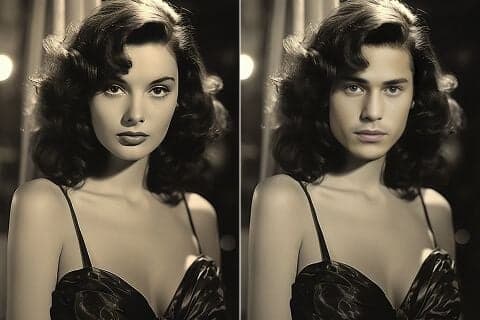 Creative
AI photo face swap
Creative Character Swap
Place a fictional adult face into a cinematic, historical, or fantasy portrait while keeping the scene coherent.
Try this face swapThree simple steps
How to Swap Faces Online
Use the same PerchanceAI image workspace and generation history already available on the main generator page.
Upload the base photo
Choose the photo whose pose, clothing, lighting, and background you want to keep. A front-facing, well-lit image usually gives the cleanest result.
Add the target face
Upload a clear face reference and describe which person should be replaced. Add more references only when the selected image-edit model supports them.
Generate and review
Select an image-edit model, generate the swap, and review facial edges, expression, and lighting. Your recent results stay in the history rail on this page.
More AI image tools
Continue Editing with PerchanceAI
Frequently asked questions
AI Face Swap FAQ
Is this AI face swap free to use?
You can try the face swap workflow with PerchanceAI's free guest generation path. Model availability, credits, and output limits can vary by the image-edit model you choose.
Do I need to sign up or install an app?
No sign-up or software download is required to start. The face swap workflow runs in your browser using the existing PerchanceAI image generator.
How does the photo face swap work?
Upload a base photo and one or more permitted face references, choose an image-edit model, and describe exactly which face should be replaced. The model regenerates the edited image while trying to preserve the original scene.
Can I swap multiple faces in one photo?
Multiple-face requests are possible when the selected image-edit model accepts enough reference images, but capability and reliability vary. Single-face swaps are usually the most consistent.
Will PerchanceAI add a visible watermark?
PerchanceAI does not add a visible branding watermark in the browser workspace. A model provider may still apply provenance metadata or model-specific signals that the site does not remove.
Which photo formats can I upload?
The existing generator accepts common browser-supported image formats. Use a high-resolution JPG, PNG, or WebP with a clearly visible face for the best result.
Will the swapped face look natural?
Results depend on the selected model and the source photos. Similar angles, expressions, lighting, and image quality improve facial alignment and blending.
Can I use face-swapped photos commercially?
Only when you have the required rights and permissions for every source image and likeness. Review the applicable model terms, local laws, and platform policies before commercial use.

Free AI Face Swap — Swap Faces in Photos Online
No sign-up, no download, and no visible PerchanceAI watermark. Upload your photos and create a polished face swap online.
Swap Faces Free